
Email changes don't need a deploy
Build emails in a visual editor and send them by ID from your app. Change them later without touching code.
npm install @emiit/sdk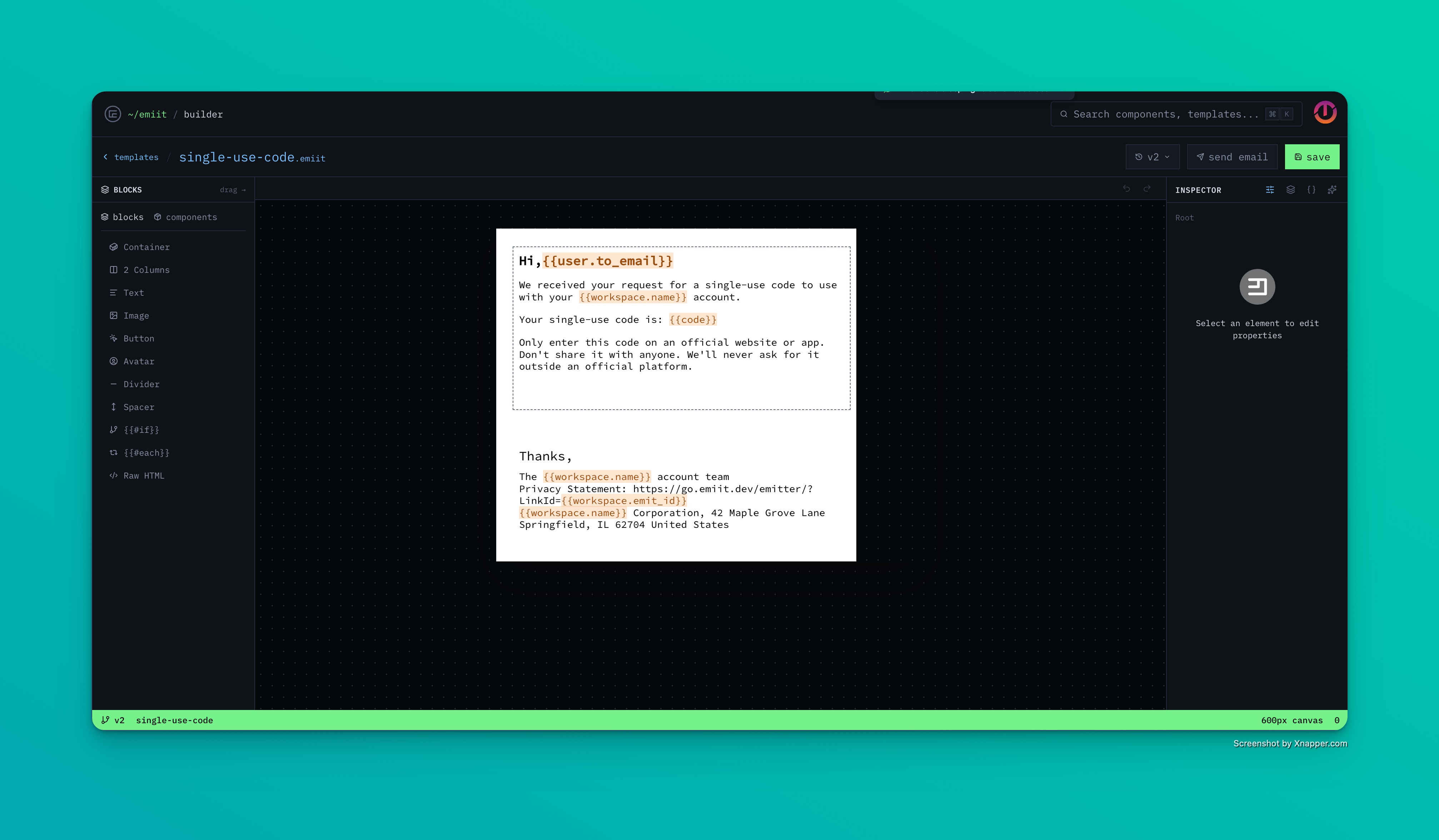
Your emails, out of your codebase.
Your app sends a template ID and some data. The design and copy live here.
- [*]Visual builder Text, images, buttons and columns, plus if and each blocks for conditional and repeated content
- [*]Components Build a header or footer once. Edit it and every template that uses it updates
- [*]Typed variables Each variable has a type. A send with a missing or wrong value is rejected, not delivered blank
- [*]Test sends Send a test to anyone in your workspace with real values before it goes live
- [*]Version history Save versions as you work and restore any of them
- [*]AI drafts Describe an email and get a first draft on the canvas to edit
- Drag-and-drop blocks
- Reusable components
- If and each blocks
- Google Fonts
- Node SDK
- HTTP API
- Render to HTML
- Bring your own provider
- Publish without a deploy
- Test with real values
- Restore any version
- Variables checked before sending
- Opens
- Clicks per link
- Stats per template
- Failed sends
Send from your own verified domain, or pass the provider you already use to the SDK and keep your account and reputation.
- Resend
- SendGrid
- Postmark
- AWS SES
- SMTP
Free to build. $12 a month to send from your domain.
No card to sign up. Need more volume or custom terms? Talk to us.
Build and test everything.
- [*]Visual builder and AI drafts
- [*]Unlimited templates and components
- [*]Version history
- [*]Send through your own provider
- [*]Open and click tracking
Questions
Do I have to switch email providers?+
No. Pass your Resend, Postmark, SendGrid, AWS SES or SMTP client to the SDK and emiit only renders the template. Or verify your domain and let emiit deliver it.
Can I try it without a domain?+
Yes. A shared test sender delivers to people in your workspace, so you can build and send real emails to yourself first.
Does it work with my stack?+
Node has an SDK. Anything else can call the HTTP API with an API key.
Can I bring emails I already have?+
Yes. Paste your existing HTML into a Raw HTML block, or rebuild it with blocks so the rest of your team can edit it.
What if a variable is missing?+
The send is rejected with an error that names the variable, so nobody gets an email that says "Hi ,". Wrong types, like text where a number belongs, are caught the same way.
Can I undo a bad change?+
Yes. Save versions as you go and restore any of them from the builder.